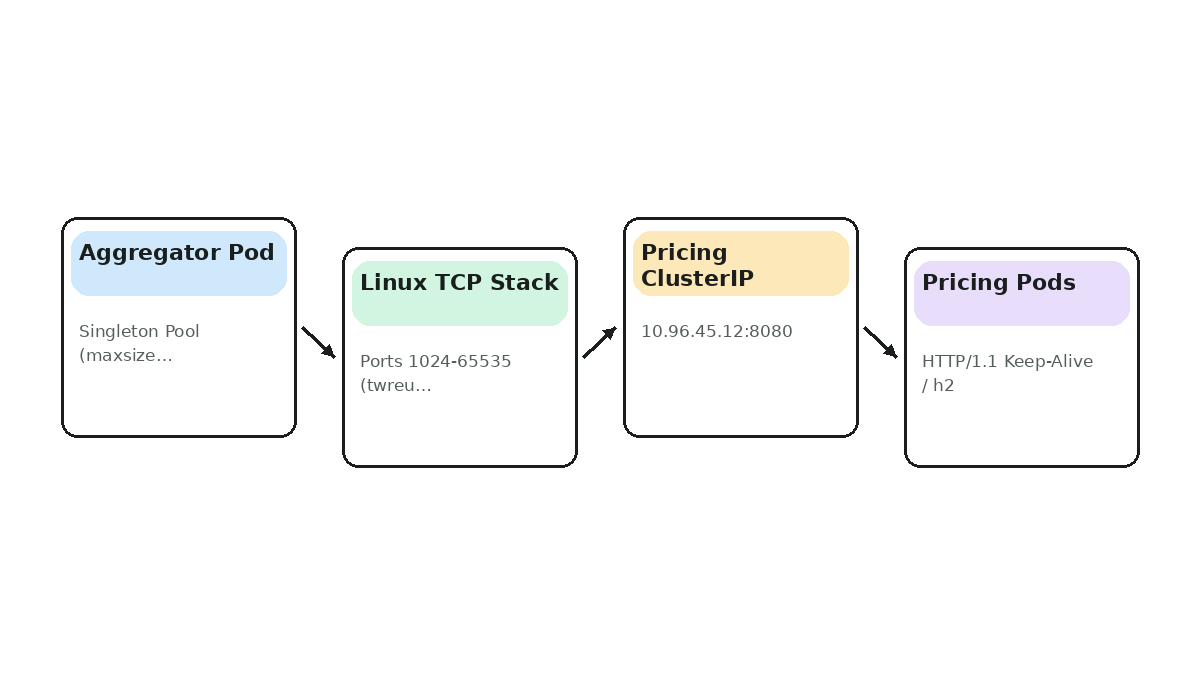
Your high-throughput aggregator microservice (Python `requests` / Java `RestTemplate` on Kubernetes Linux nodes) calls an internal pricing service at 1,500 RPS per pod. During peak traffic, pods begin throwing `Cannot assign requested address (EADDRNOTAVAIL)` and `BindException` while CPU is only 35%. `ss -tan state time-wait | wc -l` reveals 28,200+ sockets stuck in `TIME_WAIT` against the same `10.96.45.12:8080` destination IP:port. Identify why ports exhausted at 1,500 RPS, fix the HTTP client architecture, and apply safe Linux/Kubernetes mitigations.
From patterns to decisions.
Your high-throughput aggregator microservice (Python `requests` / Java `RestTemplate` on Kubernetes Linux nodes) calls an internal pricing service at 1,500 RPS per pod. During peak traffic, pods begin throwing `Cannot assign requested address (EADDRNOTAVAIL)` and `BindException` while CPU is only 35%. `ss -tan state time-wait | wc -l` reveals 28,200+ sockets stuck in `TIME_WAIT` against the same `10.96.45.12:8080` destination IP:port. Identify why ports exhausted at 1,500 RPS, fix the HTTP client architecture, and apply safe Linux/Kubernetes mitigations.
Linux holds closed client sockets.
Linux holds closed client sockets in TIME_WAIT for 60s (2*MSL), capping new connections to a single dst_ip:dst_port at 28,232 / 60 = 470.5/sec.
| Choice | What it buys | What it costs |
|---|---|---|
| Trade-off 1 | Widening `ip_local_port_range` to `1024 65535` only raises the ceiling to 1,075 RPS—still below 1,500 RPS. |
Step 1
Check sysctl net.ipv4.ip_local_port_range (default 32768 60999 = 28,232).
Step 2
Divide by 60s TIME_WAIT to find the 470.5 RPS ceiling.
Alternative 1
Connection pooling is the only real fix.
Failure Mode 1
Assuming EADDRNOTAVAIL is a downstream server issue when it is 100% client-side.
max_rps = (60999 - 32768 + 1) / 60 # 470.53 RPS
Use a module-level singleton Session.
Use a module-level singleton Session with pool_maxsize=128 so sockets stay open in ESTABLISHED state instead of churning through TIME_WAIT.
| Choice | What it buys | What it costs |
|---|---|---|
| Trade-off 1 | `pool_maxsize=128` uses ~128 file descriptors (< 1 MB kernel RAM) and eliminates 99.9% of `TIME_WAIT`. |
Step 1
Move requests.Session() outside the request handler to module scope.
Step 2
Set HTTPAdapter(pool_maxsize=128) to override the tiny default of 10.
Step 3
Add net.ipv4.tcp_tw_reuse=1 and ip_local_port_range="1024 65535" as defense-in-depth.
Alternative 1
Using httpx.Client(http2=True) or gRPC to multiplex 100+ concurrent streams over 1-4 sockets.
Failure Mode 1
Leaving pool_maxsize=10 causes every 11th+ concurrent request to open and immediately close a socket.
PoolingHttpClientConnectionManager cm = new PoolingHttpClientConnectionManager();
cm.setMaxTotal(256);
cm.setDefaultMaxPerRoute(128);
tcp_tw_recycle broke NATed clients by.
tcp_tw_recycle broke NATed clients by rejecting out-of-order PAWS timestamps and was removed in Linux 4.12; tcp_tw_reuse=1 safely allows outbound clients to reuse TIME_WAIT sockets after 1s.
| Choice | What it buys | What it costs |
|---|---|---|
| Trade-off 1 | `tcp_tw_reuse` requires `net.ipv4.tcp_timestamps=1` (enabled by default on Linux). |
Step 1
Verify kernel version (uname -r >= 4.12).
Step 2
Use tcp_tw_reuse=1 (or 2 for loopback-only) strictly for outbound client connections.
Alternative 1
Using multiple source IPs or multiple destination ports (only needed at > 50k new connections/sec).
Failure Mode 1
Setting tcp_tw_reuse in Kubernetes requires adding it to kubelet --allowed-unsafe-sysctls.
sysctls:
  - name: net.ipv4.tcp_tw_reuse
    value: "1"
Kubernetes ClusterIP load-balances at TCP.
Kubernetes ClusterIP load-balances at TCP SYN time; use L7 load balancing (Envoy/Linkerd/Istio or headless Service + client-side round_robin) so requests distribute evenly.
| Choice | What it buys | What it costs |
|---|---|---|
| Trade-off 1 | L7 sidecar/headless routing adds slight complexity but prevents 100% traffic skew during autoscaling. |
Step 1
Replace ClusterIP L4 routing with an Envoy sidecar or headless Service (clusterIP: None).
Step 2
Set max_requests_per_connection or 60s maxLifeTime so sockets periodically rebalance.
Alternative 1
Server-side Max-Requests: 1000 / Keep-Alive: timeout=30 to force gentle rotation.
Failure Mode 1
Infinite keep-alive over ClusterIP leaves newly added pods at 0% CPU during scale-out.
apiVersion: v1
kind: Service
metadata:
  name: pricing-headless
spec:
  clusterIP: None
  ports:
    - port: 8080
Alert on node_sockstat_TCP_tw > 5000.
Alert on node_sockstat_TCP_tw > 5000 and HTTP client pool leased / max utilization plus pending_acquires.
| Choice | What it buys | What it costs |
|---|---|---|
| Trade-off 1 | `node_sockstat_TCP_tw` is node-wide, so pair it with per-pod `ss` diagnostics in runbooks. |
Step 1
Scrape node_exporter sockstat metrics per node.
Step 2
Expose Micrometer httpcomponents.httpclient.pool.route.max and leased.
Alternative 1
eBPF tcp_set_state tracing (Cilium/Pixie) for per-pod TIME_WAIT attribution.
Failure Mode 1
Watching only pod CPU/memory misses port exhaustion completely.
- alert: HighTimeWaitSockets
  expr: node_sockstat_TCP_tw > 5000
  for: 3m
  labels:
    severity: warning
Theory & Tips and Tricks
Practical heuristics & interview traps
- 01Interview anchor: Reuse a singleton HTTP connection pool (
keep-alive) to cut connection churn by 1,000x; never rely ontcp_tw_recycle(removed in Linux 4.12 and broken behind NAT). - 02Trade-off tip:
tcp_tw_reuserequiresnet.ipv4.tcp_timestamps=1(enabled by default on Linux). - 03Watch out for: Infinite keep-alive over
ClusterIPleaves newly added pods at 0% CPU during scale-out.
Ephemeral Port Exhaustion Connection Pooling — Normal → Load / Fault → Recovery
Reuse a singleton HTTP connection pool (keep-alive) to cut connection churn by 1,000x; never rely on tcptwrecycle (removed in Linux 4.12 and broken behind NAT).
Putting Fixing Ephemeral Port Exhaustion with Connection Pooling Together
Reuse a singleton HTTP connection pool (`keep-alive`) to cut connection churn by 1,000x; never rely on `tcp_tw_recycle` (removed in Linux 4.12 and broken behind NAT).
Putting Fixing Ephemeral Port Exhaustion with Connection Pooling Together
- Move
requests.Session()outside the request handler to module scope. - Set
HTTPAdapter(pool_maxsize=128)to override the tiny default of 10. - Add
net.ipv4.tcp_tw_reuse=1andip_local_port_range="1024 65535"as defense-in-depth.
Interview Readiness Check
Kubernetes ClusterIP load-balances at TCP SYN time; use L7 load balancing (Envoy/Linkerd/Istio or headless Service + client-side round_robin) so requests distribute evenly.
Walk through bottlenecks, back-of-the-envelope math, and failure recovery.
Make the trade-off yourself.
Practice Check
Test your understanding
When is ACID Transaction Fundamentals the right default for a production team?
Fixing Ephemeral Port Exhaustion with Connection Pooling
Reuse a singleton HTTP connection pool (keep-alive) to cut connection churn by 1,000x; never rely on tcp_tw_recycle (removed in Linux 4.12 and broken behind NAT).